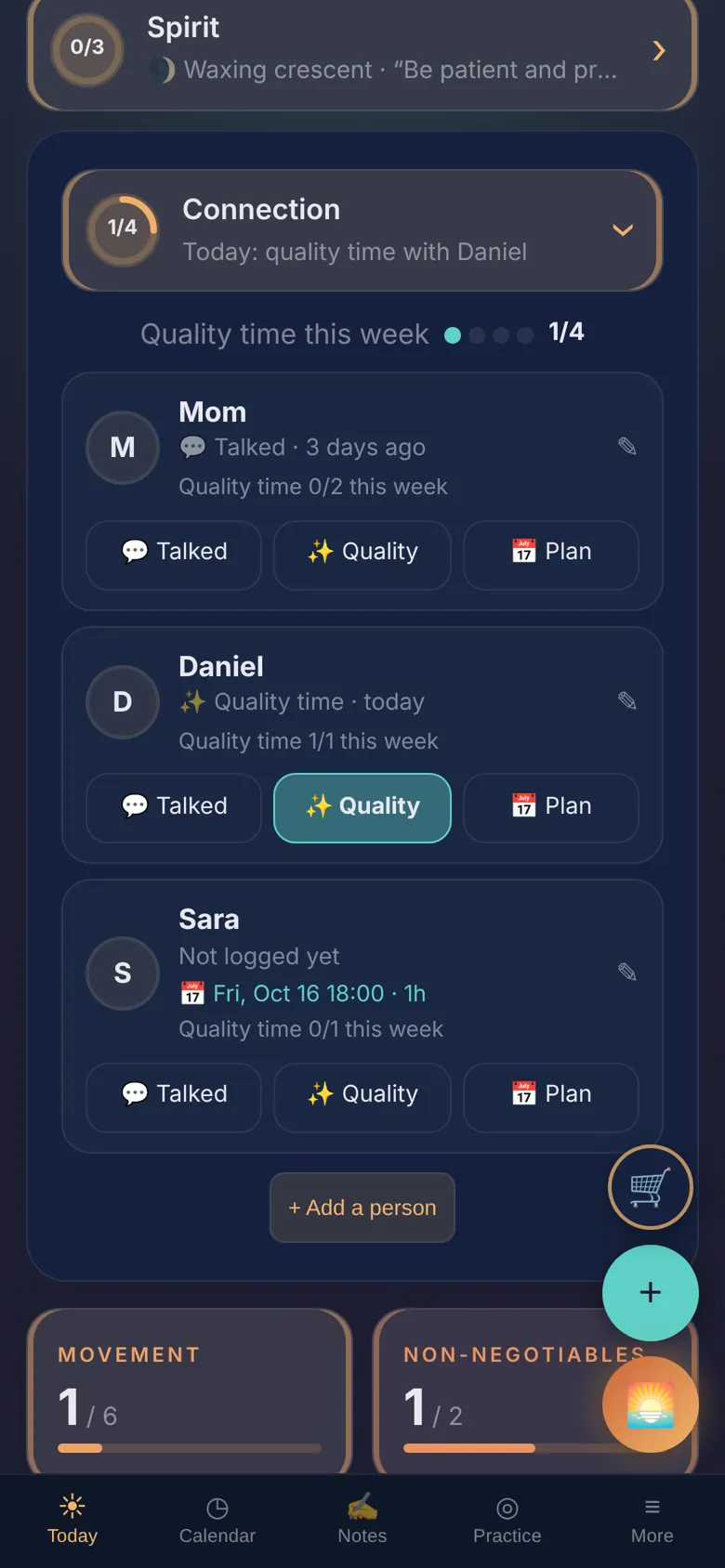
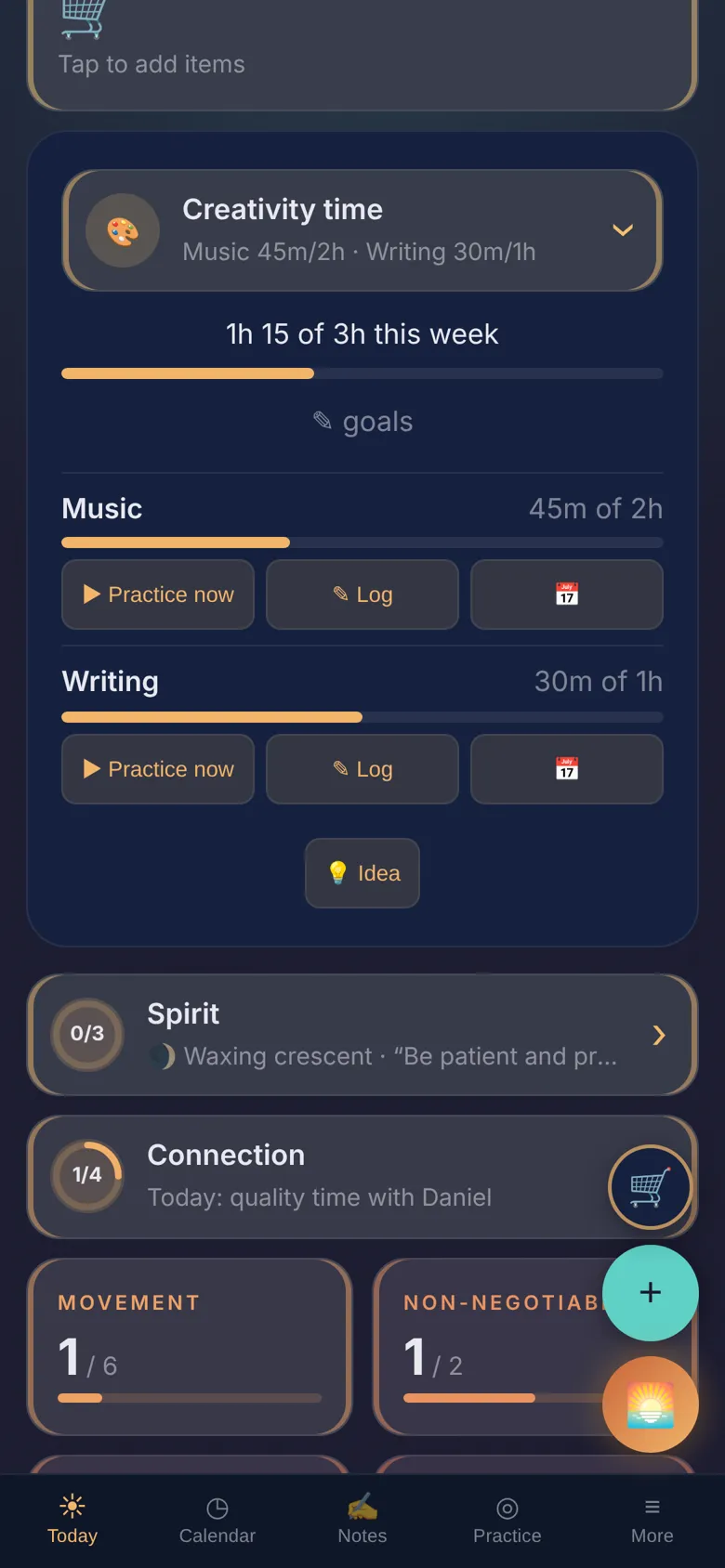
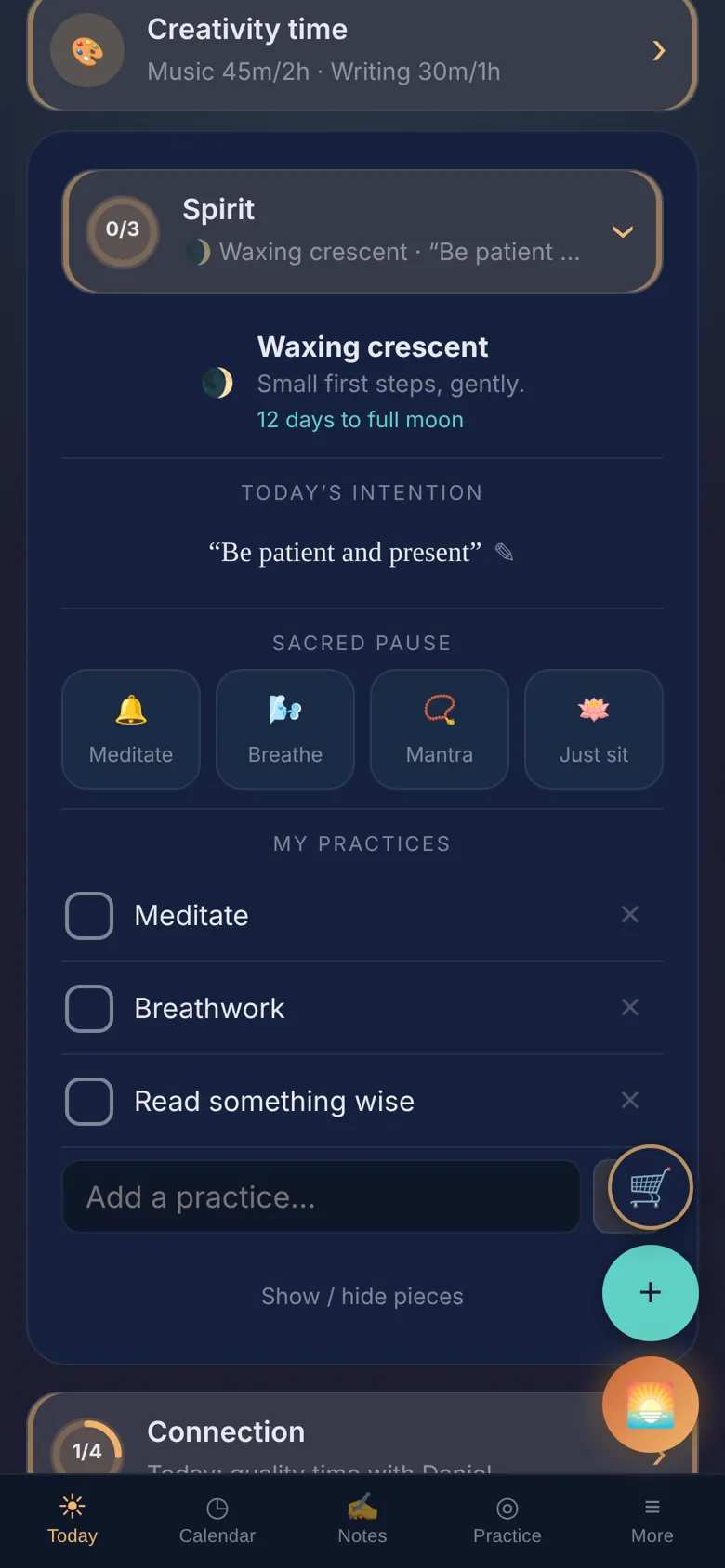
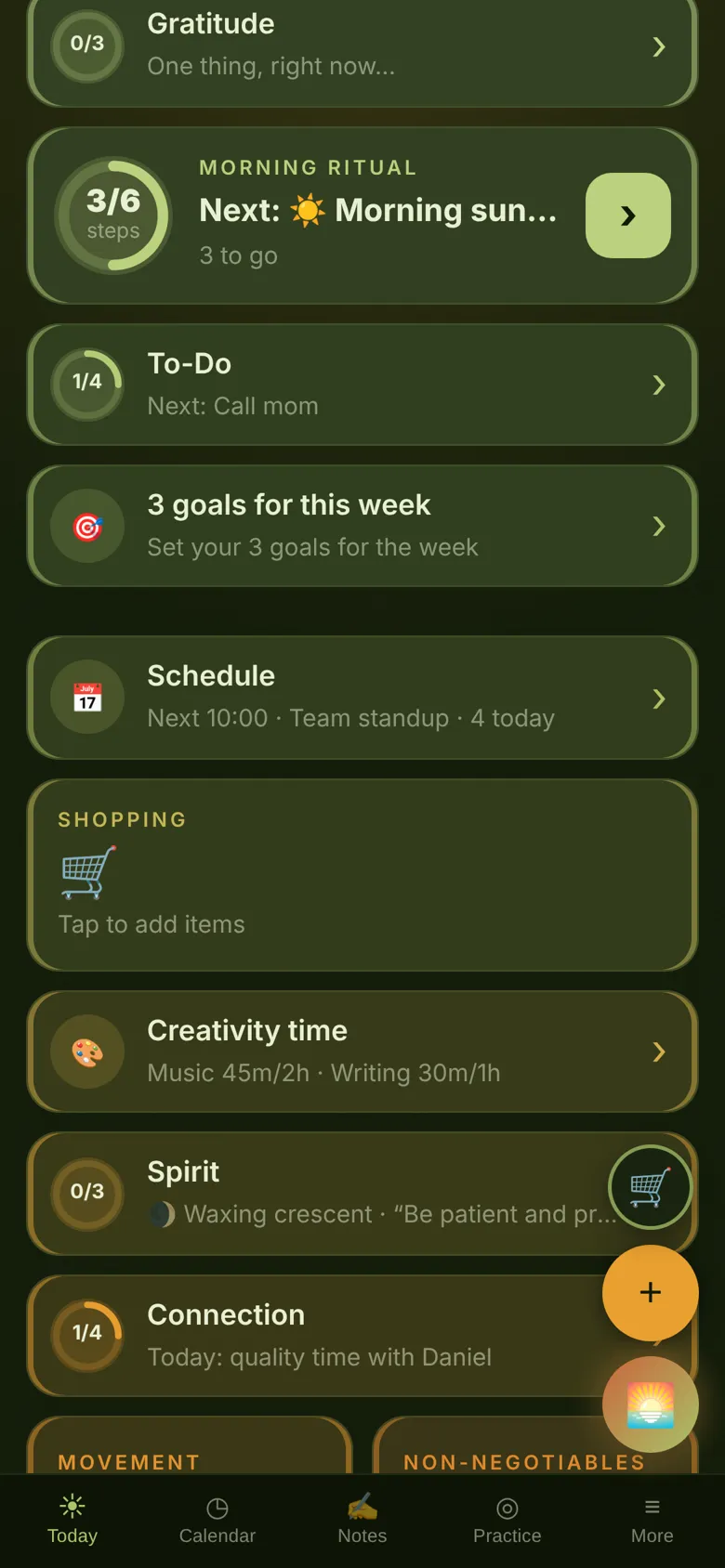
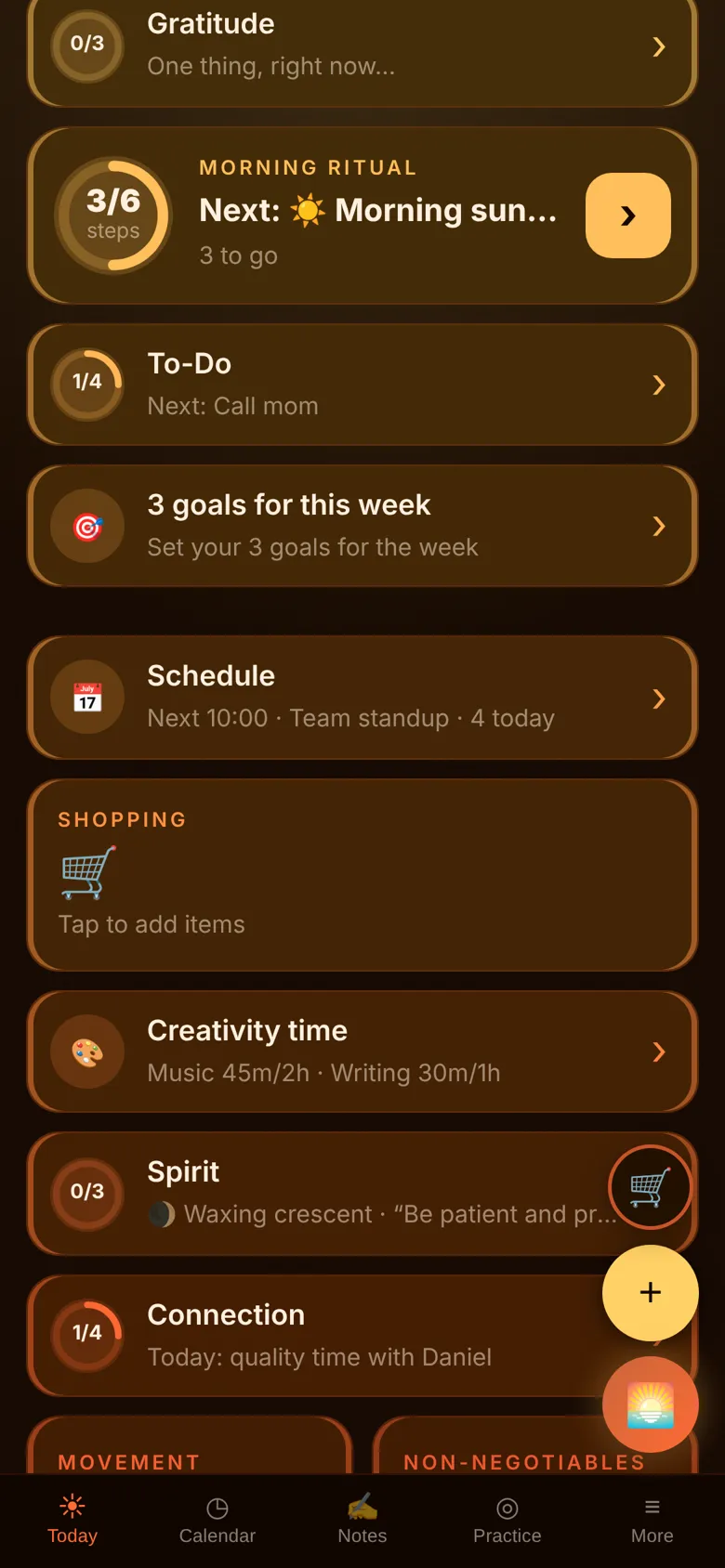
Take control of your day. Get your time back.

Plan, track and reflect in one calm app: rituals, goals, money and an AI coach. Only what you turn on.

No card needed. Works on iPhone, Android and computer, in English and Spanish. How to install

Build your morning in three taps

How do your mornings feel right now?

Start my morning ritual

This is the same setup the app walks you through. Tick the steps in the preview to see your morning fill up.

Good morning.
YOUR MORNING RITUAL
0/0
MORNING RITUAL
    Morning done. The rest of the day is yours.

    One app from your first coffee to lights out

    Horizon OS changes with the time of day. Mornings are for your ritual, the day for your plan, evenings for looking back.

    07:00

    Start with your ritual

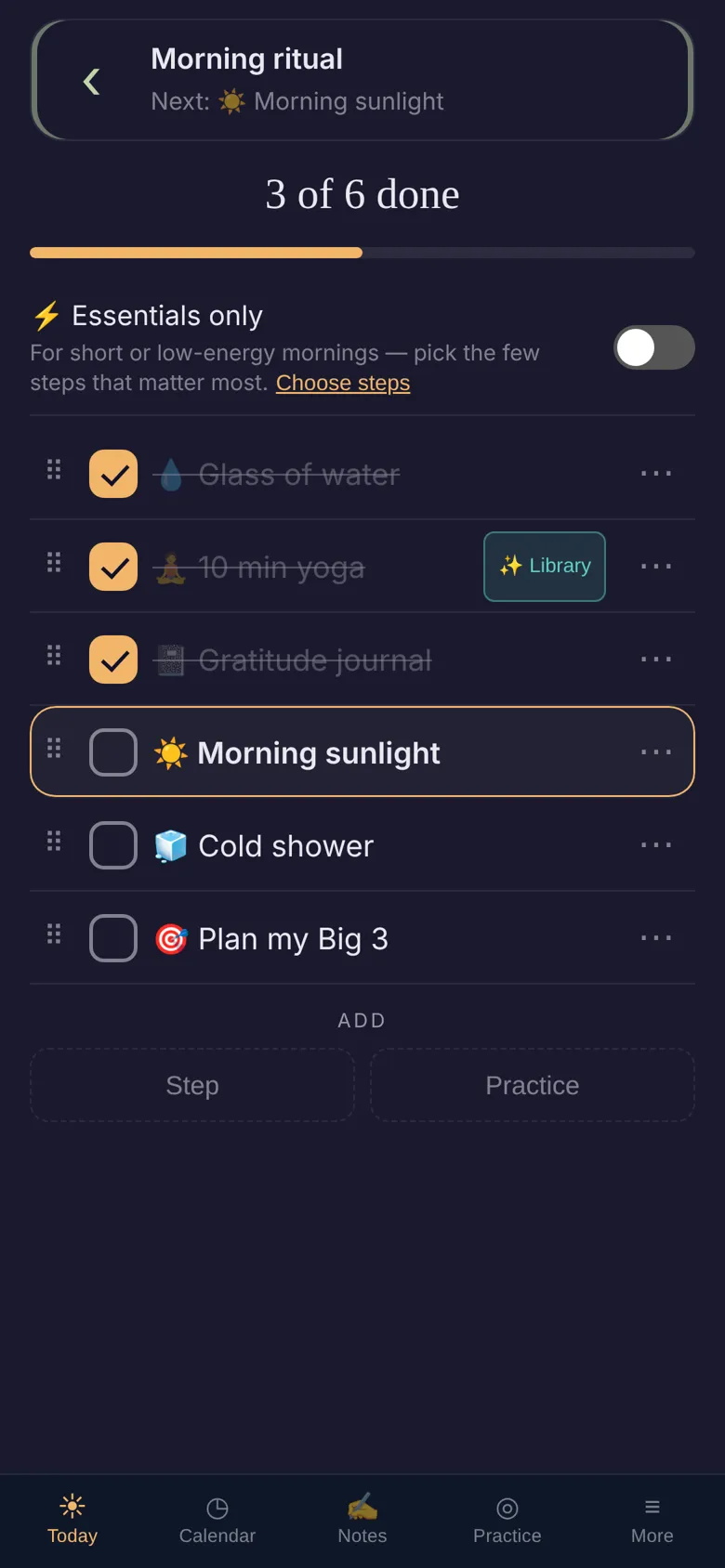
    Your morning steps, one tap each, with a ring that fills as you go.

    • Hard morning? Switch on Essentials only and do just the steps that matter most
    • Skip a step with Not today, without guilt and without breaking anything
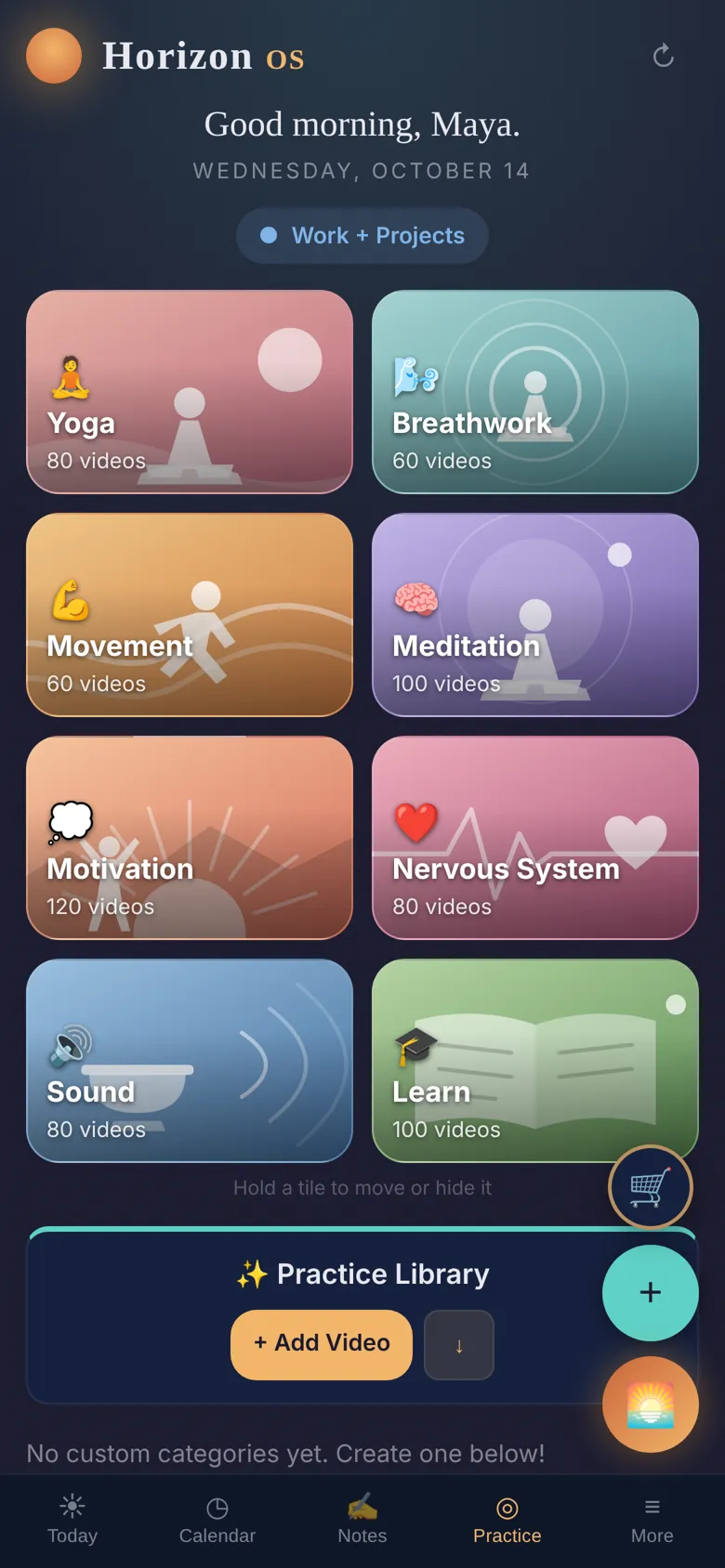
    • Yoga or meditation steps open the right videos from the Practice Library
    The morning ritual screen: 3 of 6 steps done, with Essentials only and the next step highlighted
    09:30

    See your whole day at a glance

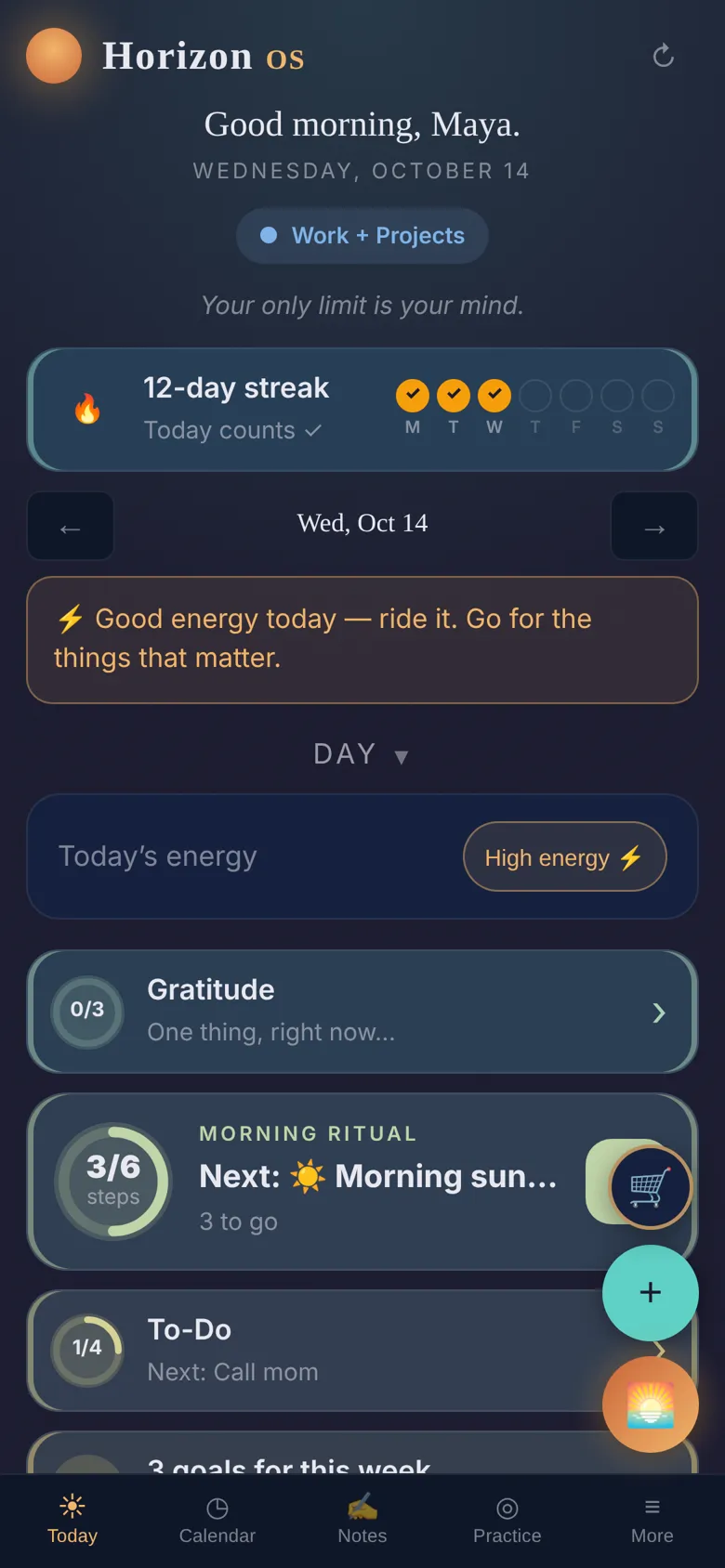
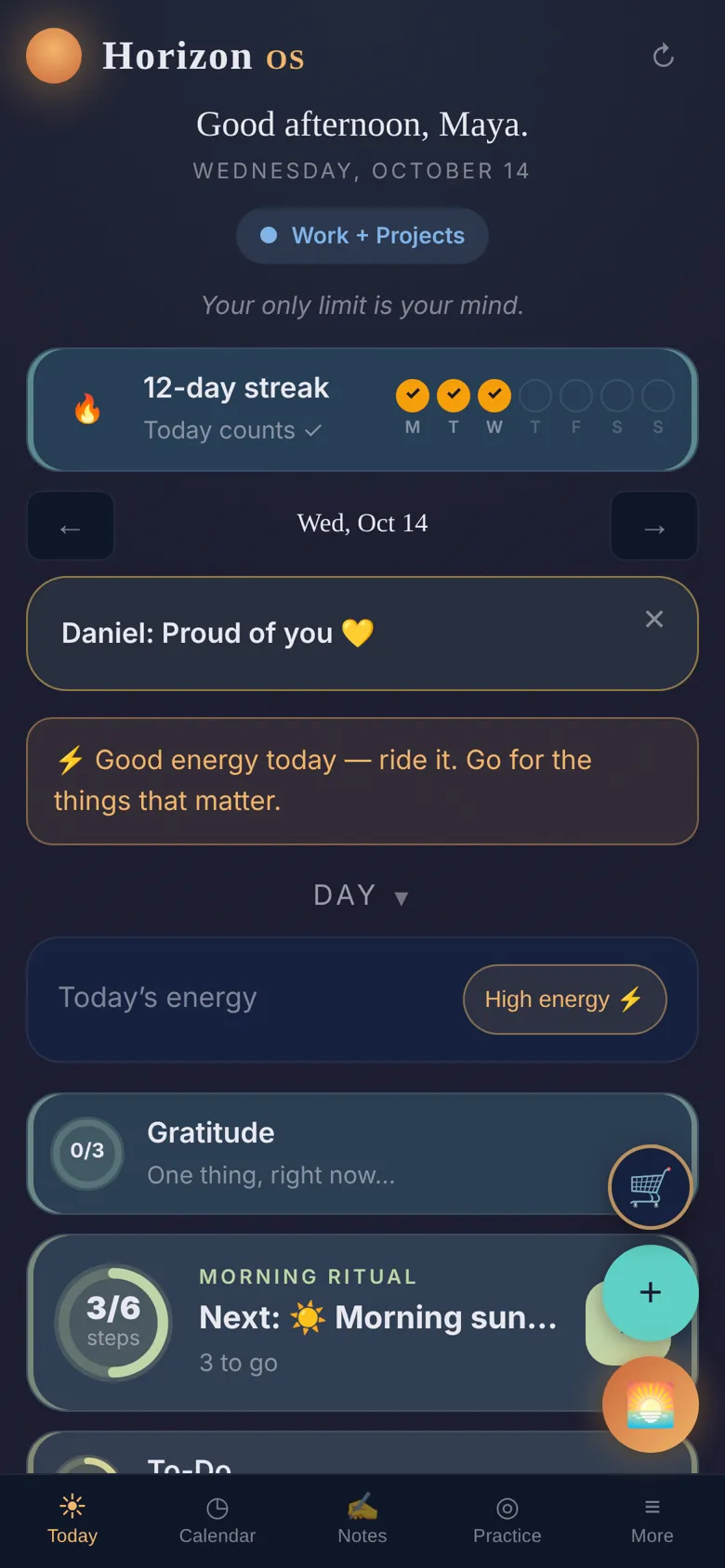
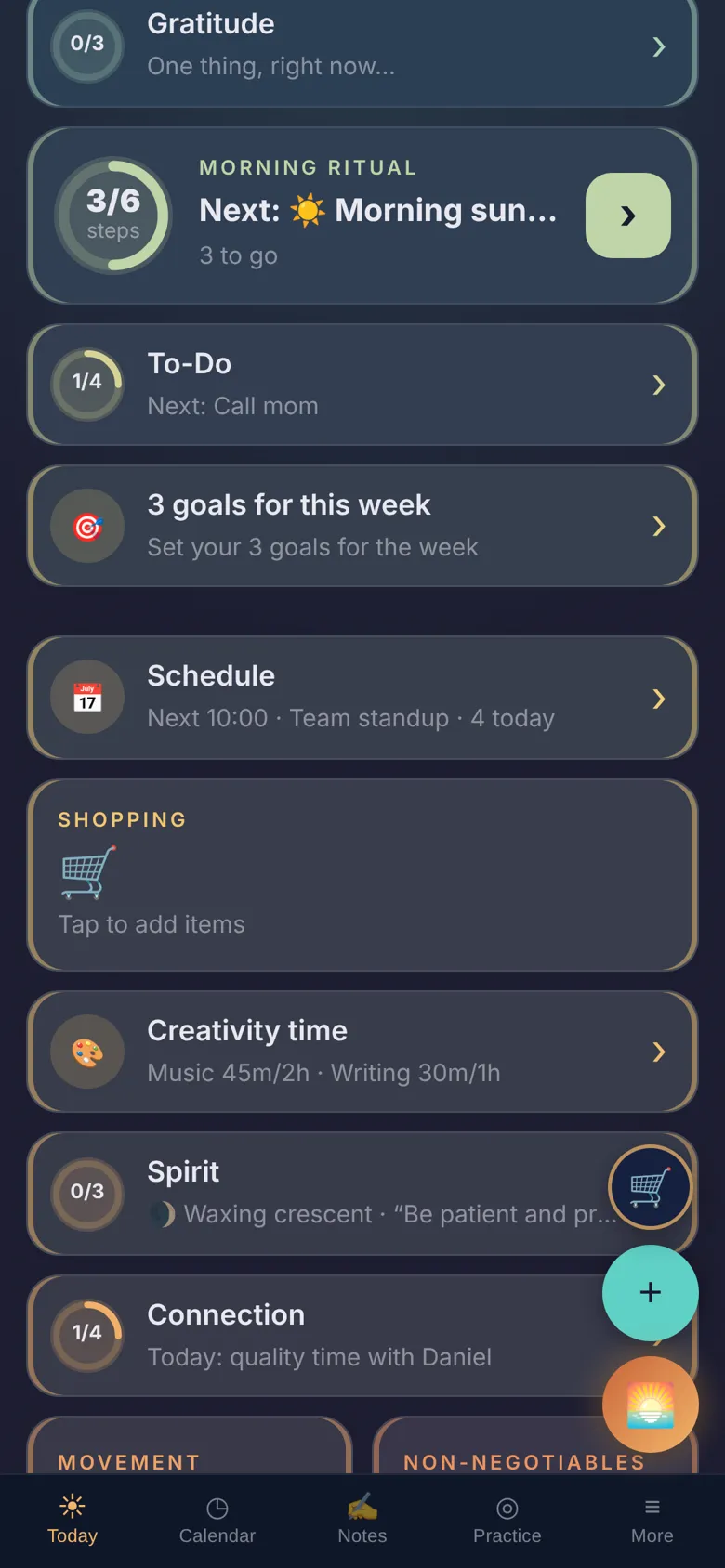
    Today is a set of tiles: ritual, to-dos, schedule, money, people and anything else you've turned on. Tap a tile to open it, hold one to move it.

    • Three goals for the week keep the big things in view
    • Plan my day puts your to-dos into the free time in your calendar
    • Quick add for to-dos, expenses, shopping and ideas, from any screen
    The Today screen with a 12-day streak, energy check-in and tiles for gratitude, morning ritual and to-dos
    15:00

    Protect time for what matters

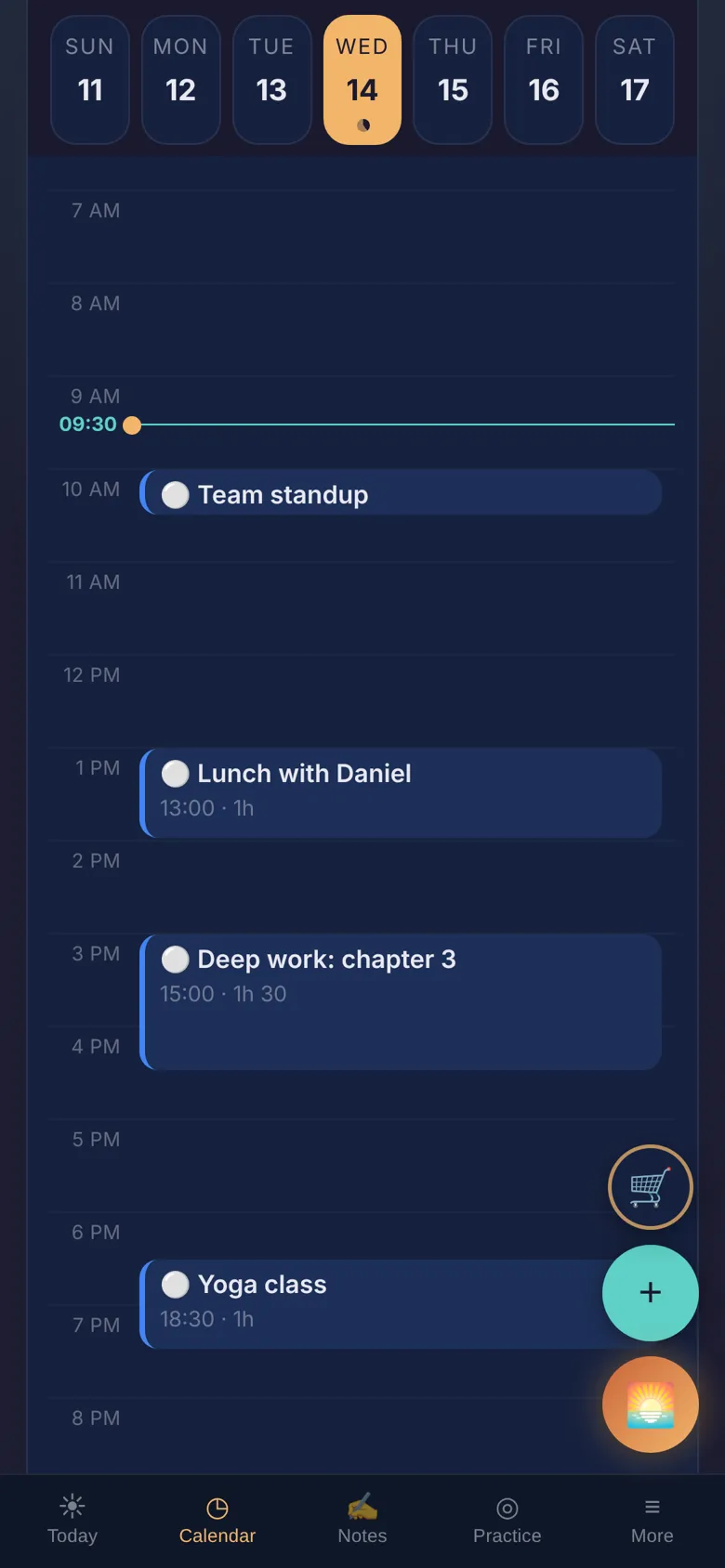
    Your calendar and your plan in one place, synced with Google Calendar if you use it.

    • Hold an empty hour to add an event, drag it to move it
    • Day, week and month views, with events coloured by type
    • Focus timer: Pomodoro, 50/10, deep work, flowtime or your own rhythm, with a soft bell when it's time to rest
    The calendar day view with the week strip, a now line and four events
    21:00

    Close the day kindly

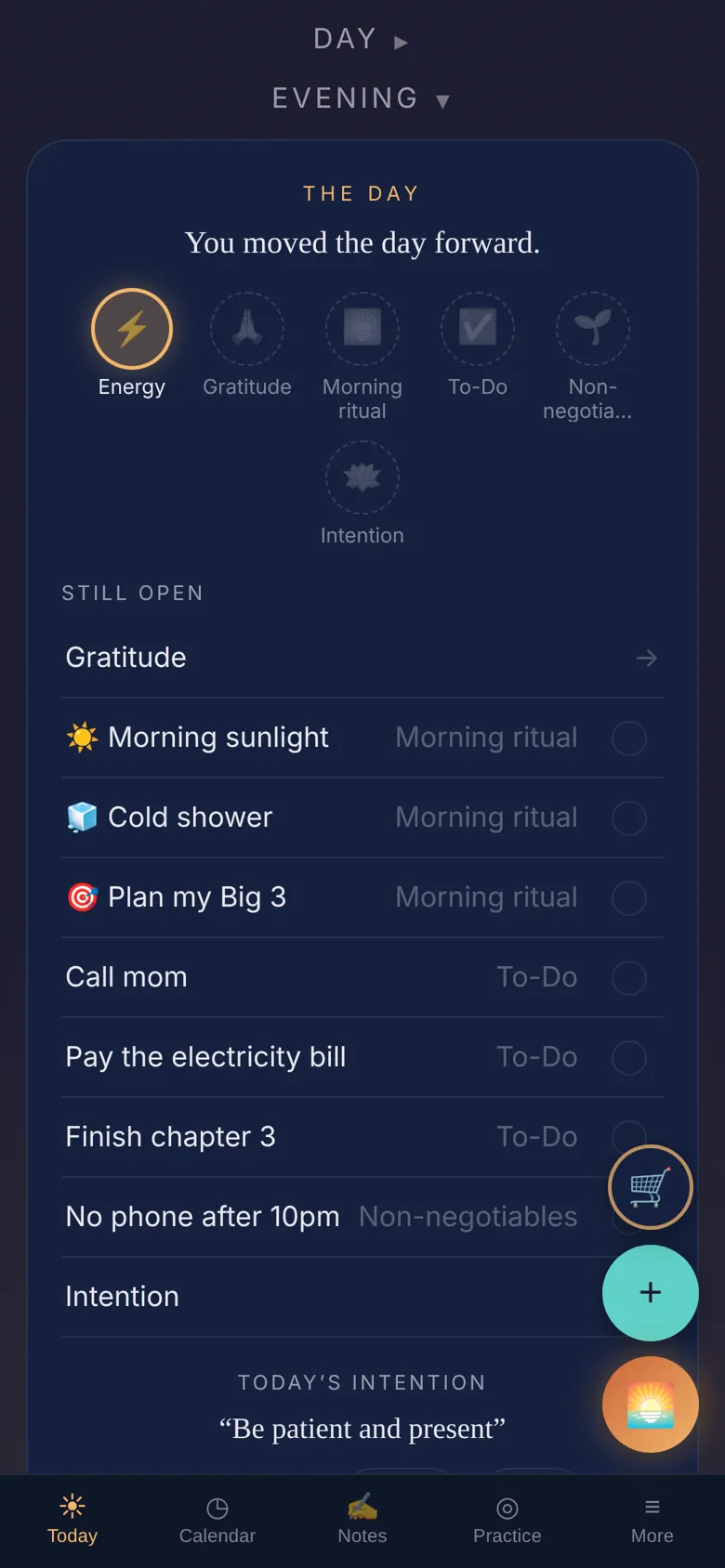
    The evening summary shows what you did, what's still open, and asks one question to reflect on.

    • Write down what else you got done today. It counts too.
    • One question to reflect on, answered in your journal
    The evening summary: a headline, lights for each part of the day and the list of what's still open
    21:30

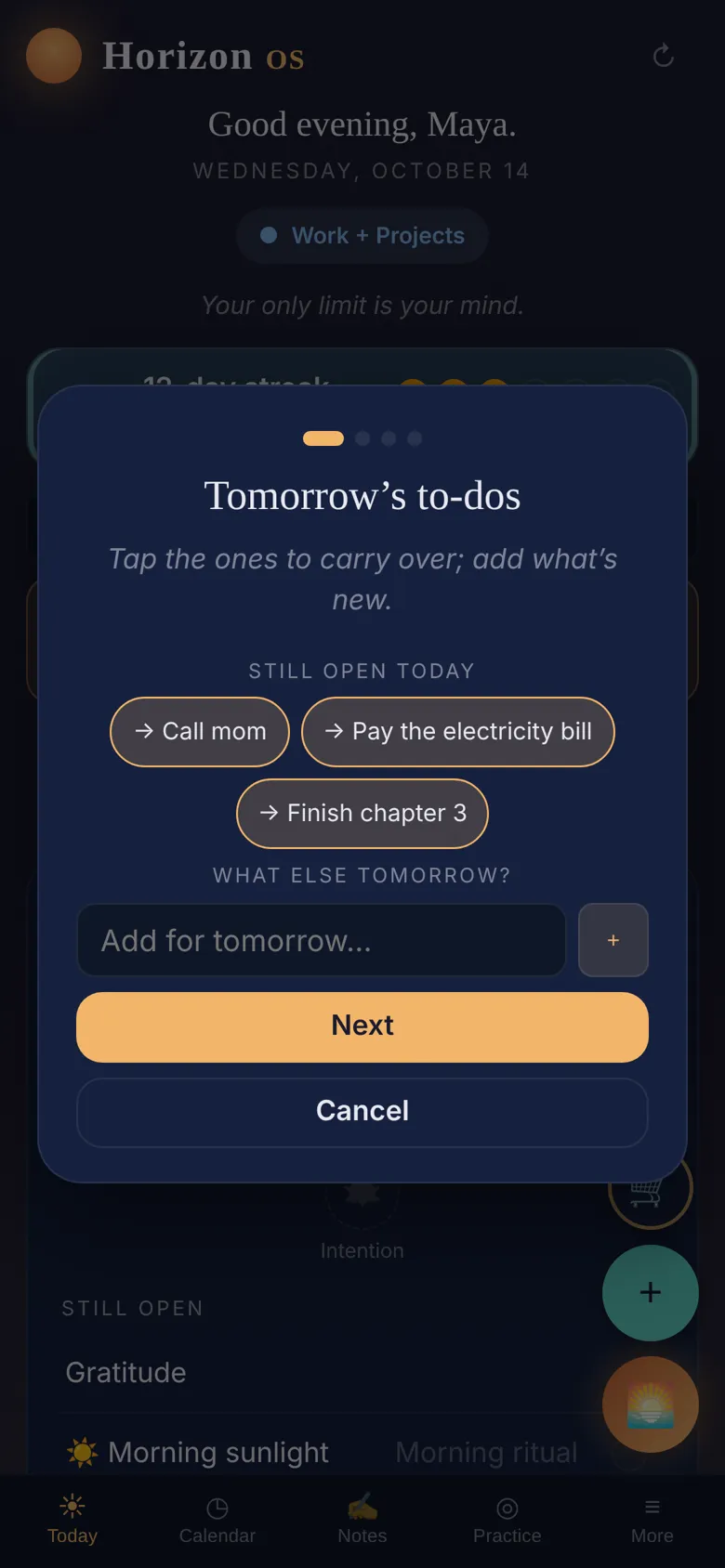
    Plan tomorrow in two minutes

    A short guided sheet sets up tomorrow before you sleep, so the morning starts clear.

    • Carry over the to-dos still open today, or let them go
    • Choose when each one happens: morning, afternoon or evening
    • Pick the one thing that matters most and leave yourself a note. It greets you in the morning.
    The Plan tomorrow sheet with today's open to-dos ready to carry over

    Pick the parts of life you want to work on

    Choose your areas when you sign up and Horizon OS turns on what fits. Change your mind any time in Settings.

    Get the right things done

    For days that feel too full, and weeks that go by too fast.

    ✅To-dosOne tap to tick off. Anything unfinished can move to tomorrow.
    🎯Three goals for the weekThe few things that would make this week a good one.
    🗓️Plan my dayPick how long each to-do takes and when (now, this evening or tomorrow morning), and they go into the free time around your events.
    ⏱️Focus timerPomodoro, 50/10, sprint, flowtime or custom, with longer breaks every four rounds.
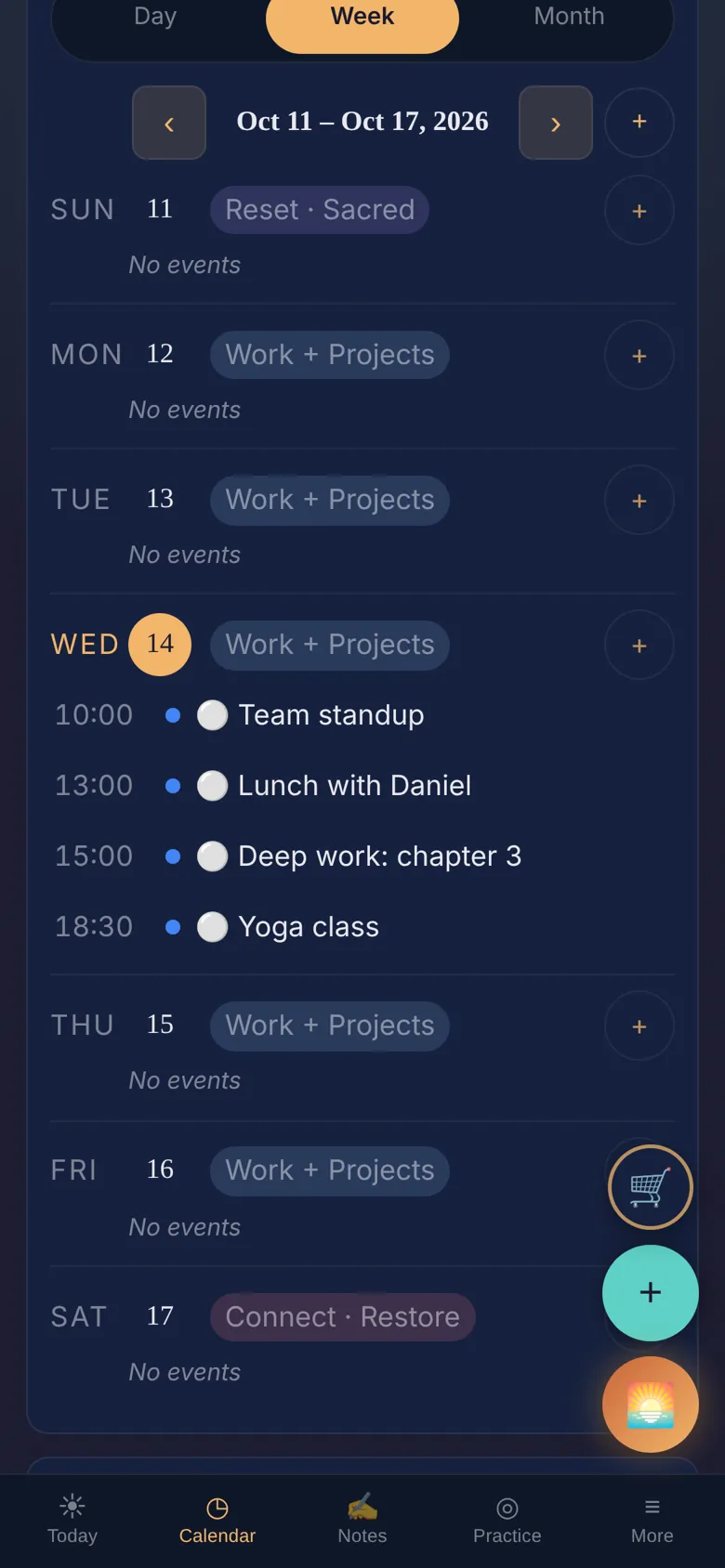
    📅A calendar that's easy to useHold to add, drag to move, a week agenda, and colours for each type of event, including your own. Syncs with Google Calendar.
    The calendar week view: each day of the week with its events listed
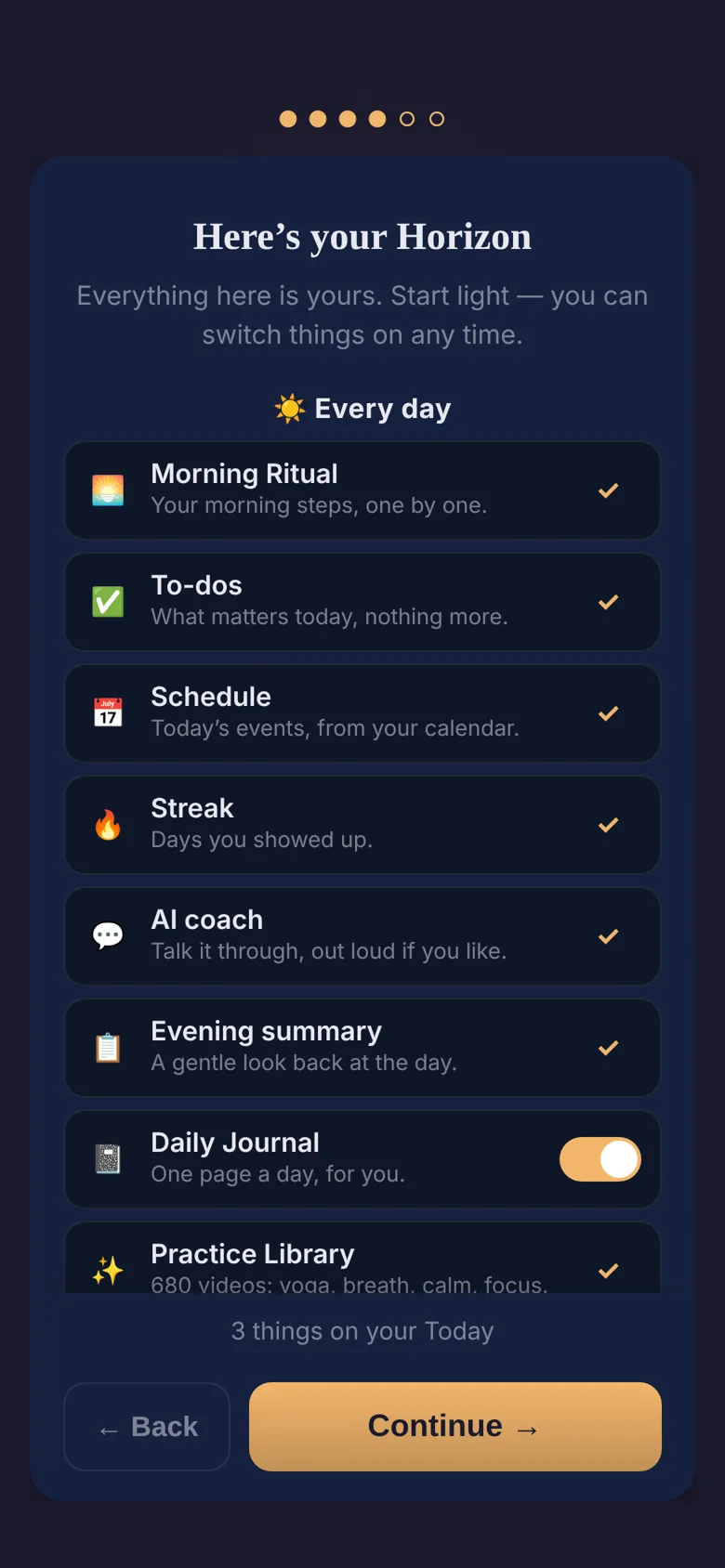
    The Here's your Horizon setup page: the everyday features with a switch for each

    Starts light, grows with you

    A new account begins with just the essentials. Before you start, one page shows everything you're getting, with a switch for each part.

    During your first week, a small card suggests one more thing to try, once a day. Turn it on, skip it, or stop the suggestions.

    Everything is optional. Hide what you don't use and rearrange Today however you like.

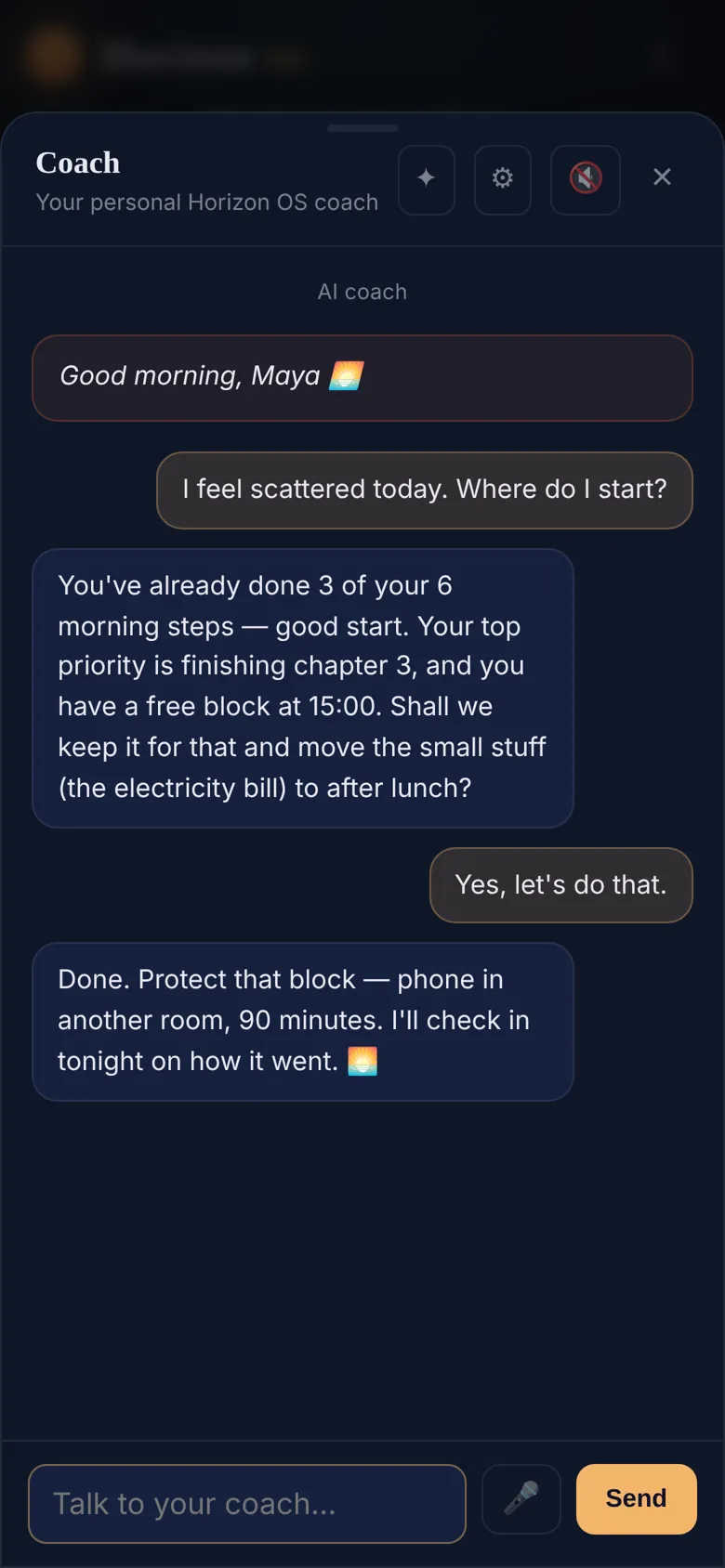
    A conversation with the AI coach about where to start a scattered day

    A coach that knows your day

    Ask "where do I start?" and get an answer that knows your ritual, your to-dos, your calendar and your goals, not generic advice.

    It can tick off a ritual step, add a to-do or put an event in your calendar for you. Talk by text or by voice, any time of day.

    🎙️ Voice in English and Spanish🤖 Always shown as an AI🔒 Never used to train AI models

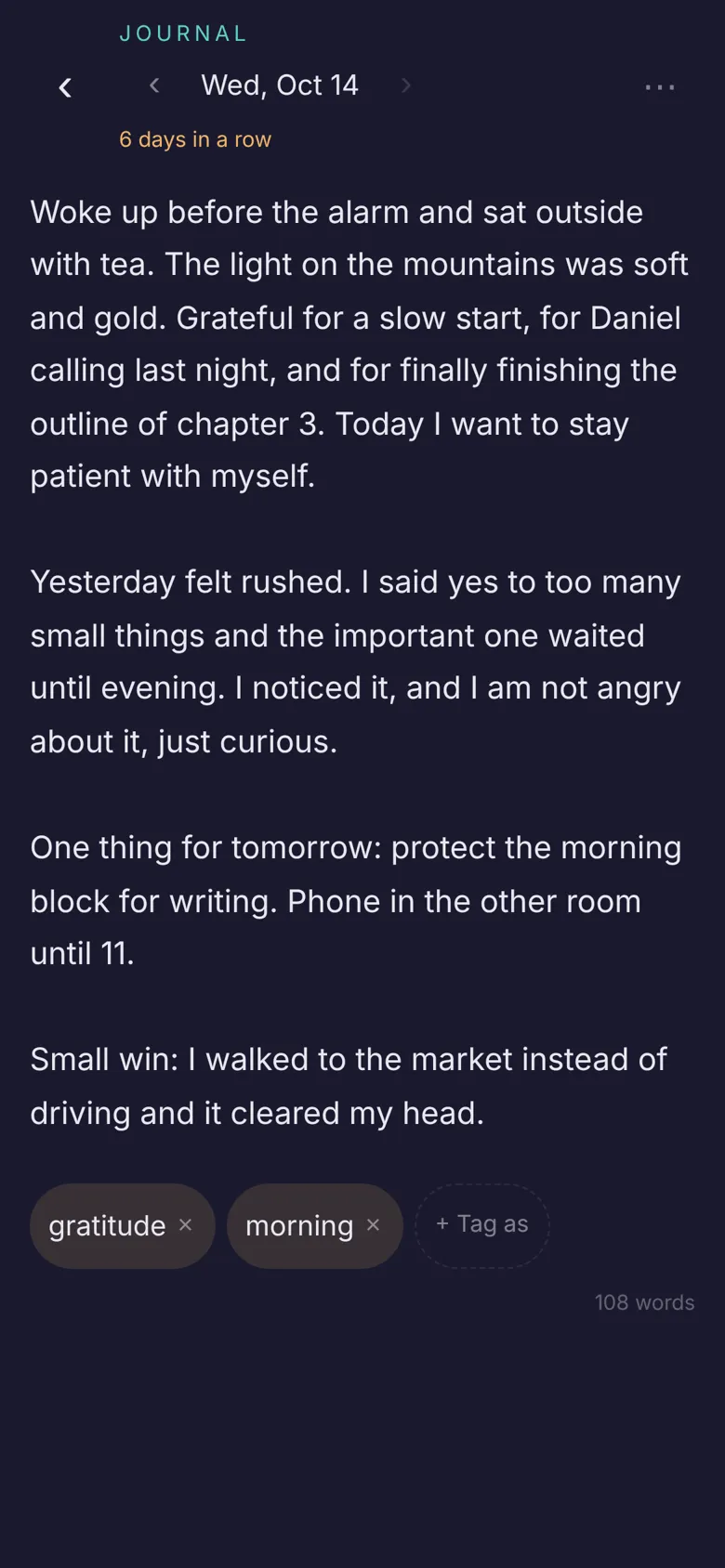
    A journal you'll actually keep

    One quiet page a day. Write freely or ask for a prompt, and set a gentle timer if you want one.

    Tag entries, watch your writing streak grow, and search every day you've written. Your notes, wins and ideas live next to it, and you can export everything as a text file.

    A journal page for today with a written entry, tags for gratitude and morning, and a 6-day writing streak

    Share the everyday with your partner

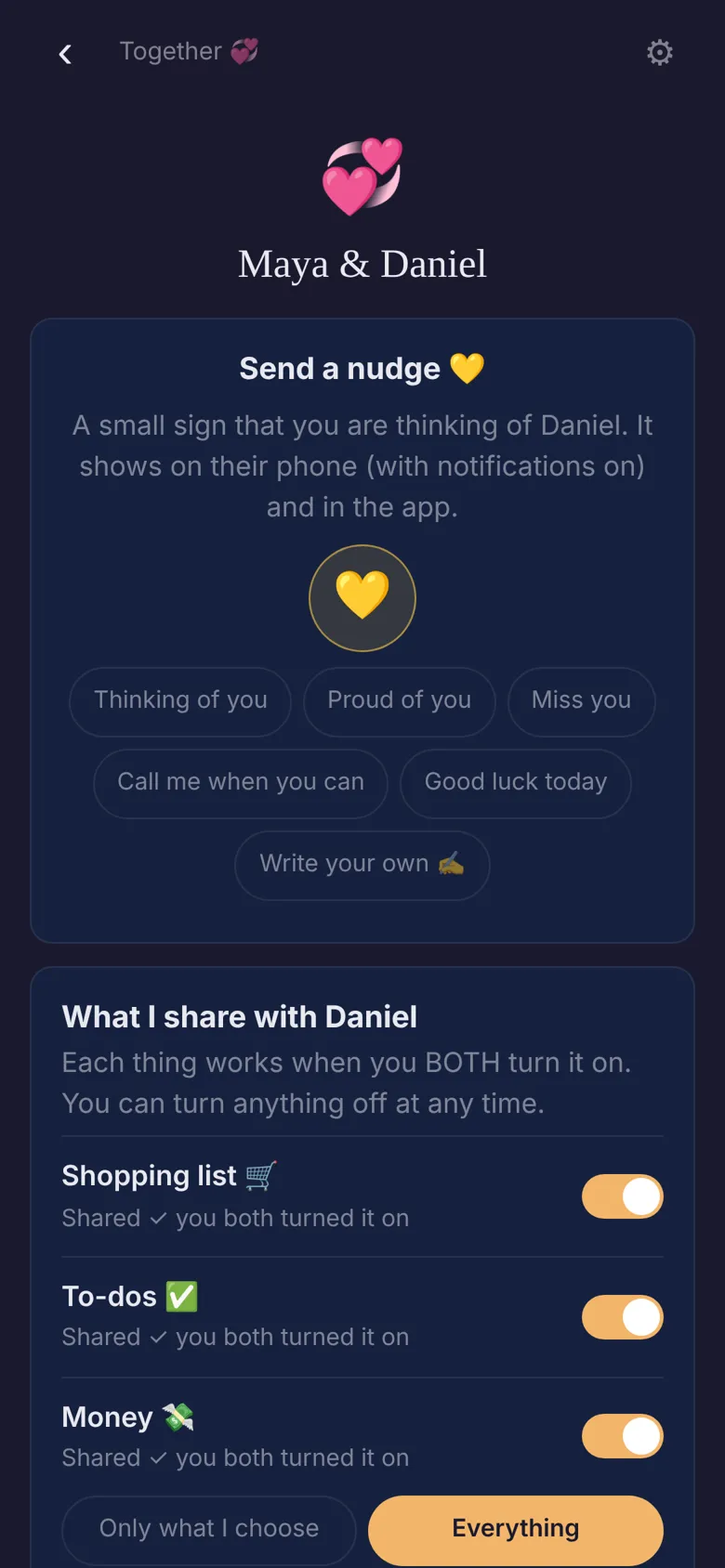
    Together links your account with your partner's. Each of you chooses what to share, and everything else stays private.

    The Together page for Maya and Daniel: send a nudge, and switches for the shopping list, to-dos and money
    Choose what you share
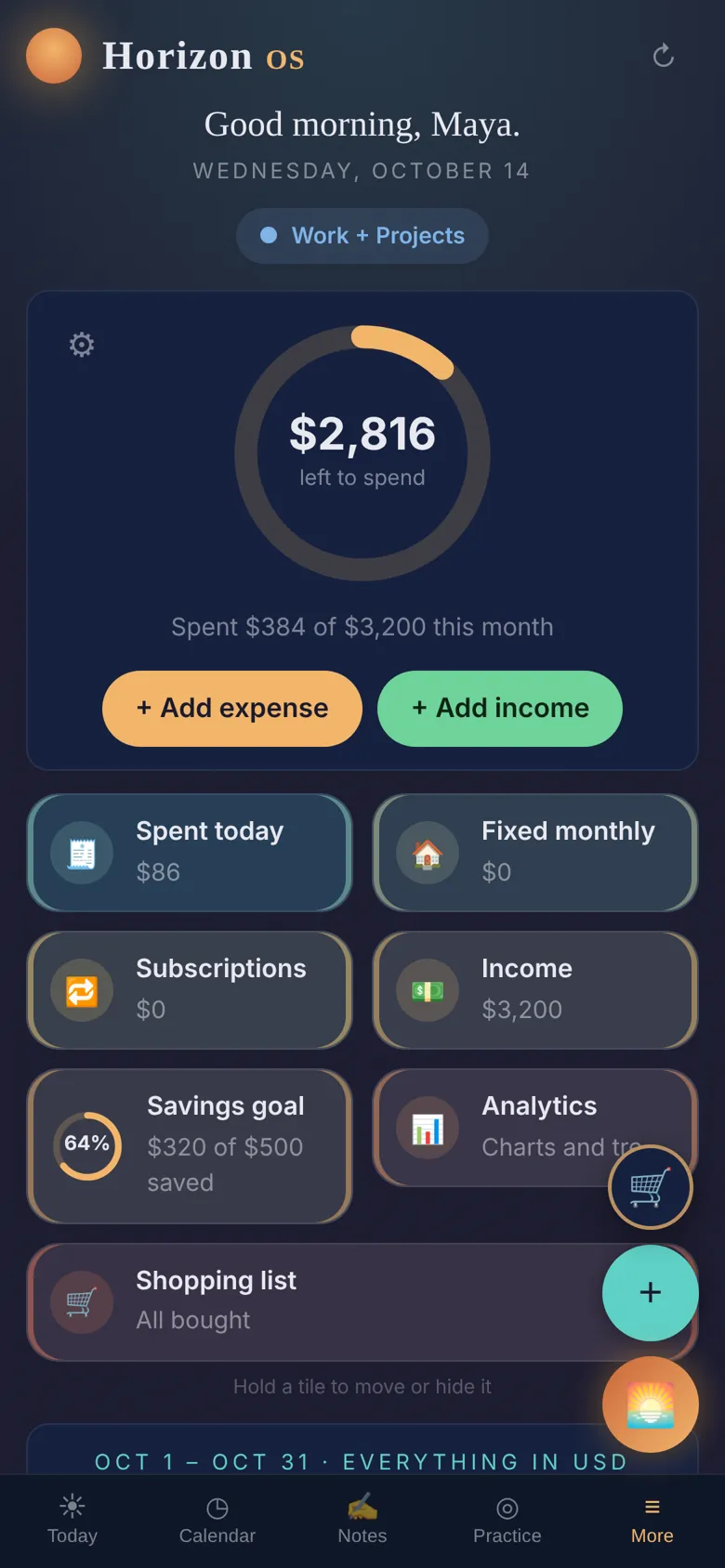
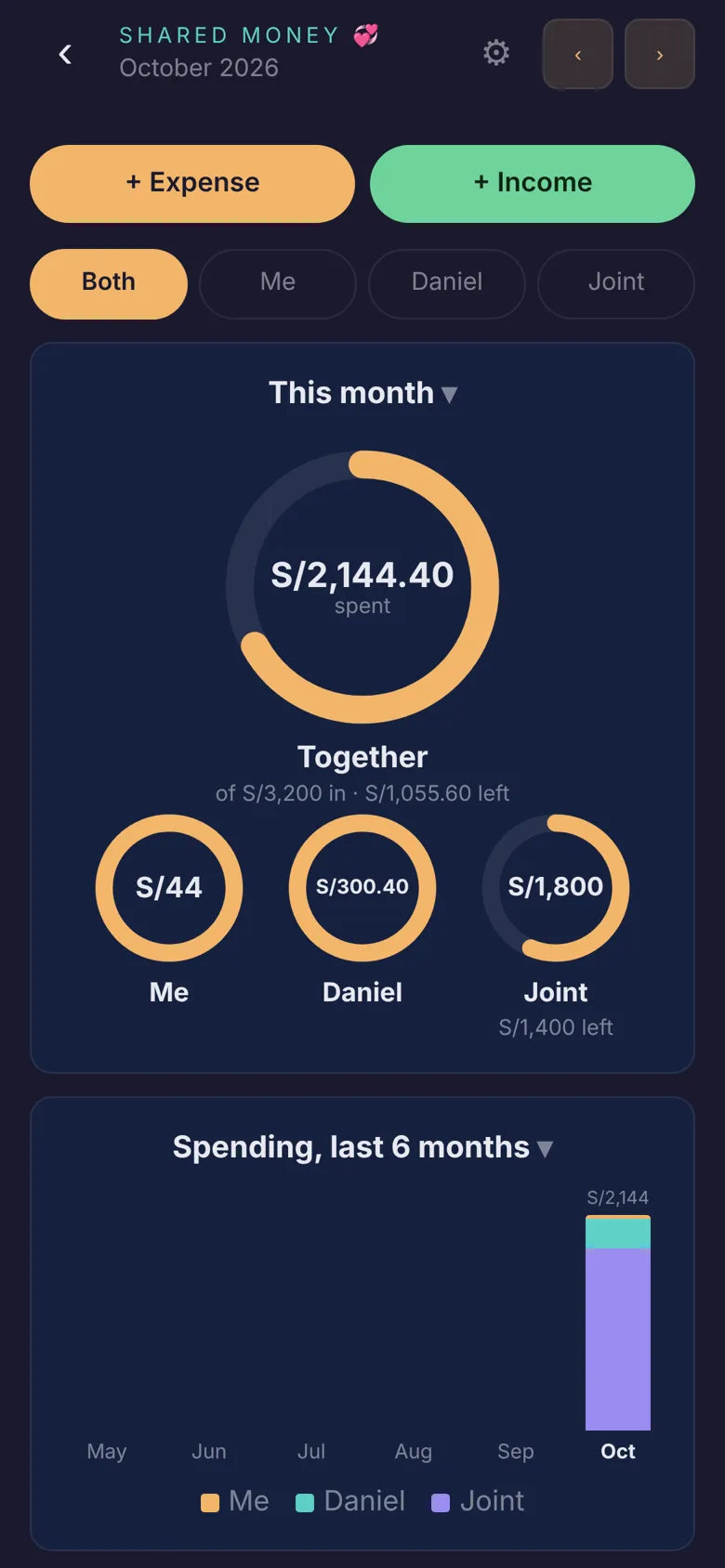
    Shared money for October: spent together, with rings for Maya, Daniel and the joint account
    See your money together
    Maya's Today screen with a note from Daniel: Proud of you
    Send a little love
    🛒One shopping listAdd from either phone. Tick an item and it's ticked for both of you.
    ✅Shared to-dosAdd a to-do for both of you, for you or for them, and tick it off together. Your own list stays yours.
    💸Shared moneySee what you spend together, each person's part and your joint account, month by month. Share everything or only the categories you pick.
    💛NudgesSend a heart, a quick "Proud of you" or a few words of your own. It shows up on their Today.

    Together is included in every plan, and you can both try it free during your trials. After that, each of you needs your own plan. If a plan ends, sharing pauses and nothing is deleted. Turn any part off, or leave, at any time. For two people aged 18 or over.

    Made for real life, not perfect streaks

    Streaks that forgive

    Streak freezes cover a missed day, so one bad day doesn't erase weeks of work. Your streak never shows a zero.

    Short mornings count

    On a rushed or low-energy morning, Essentials only keeps just the steps you picked. The rest wait for tomorrow.

    No guilt, no nagging

    Horizon OS never makes a big deal of a break. It invites you back and moves on.

    Make it feel like yours

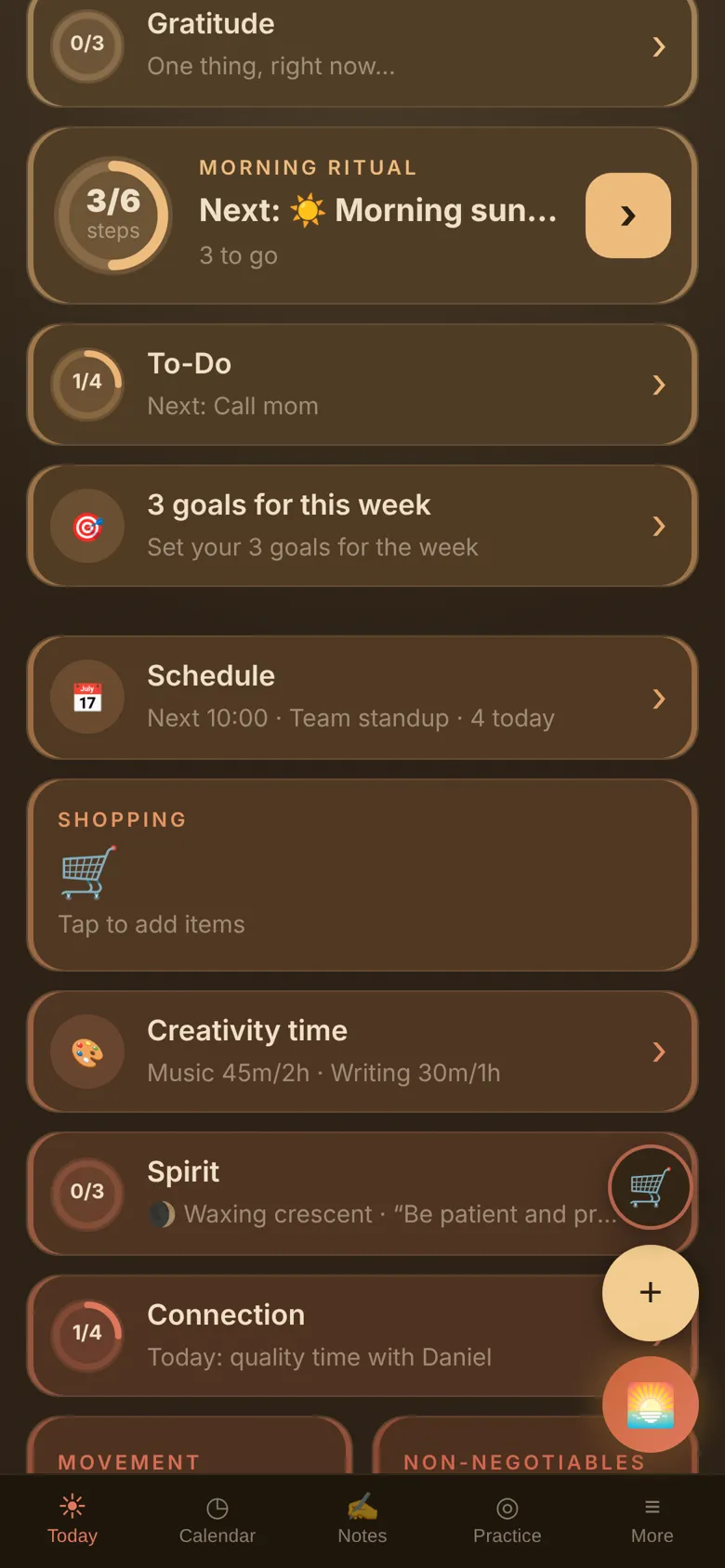
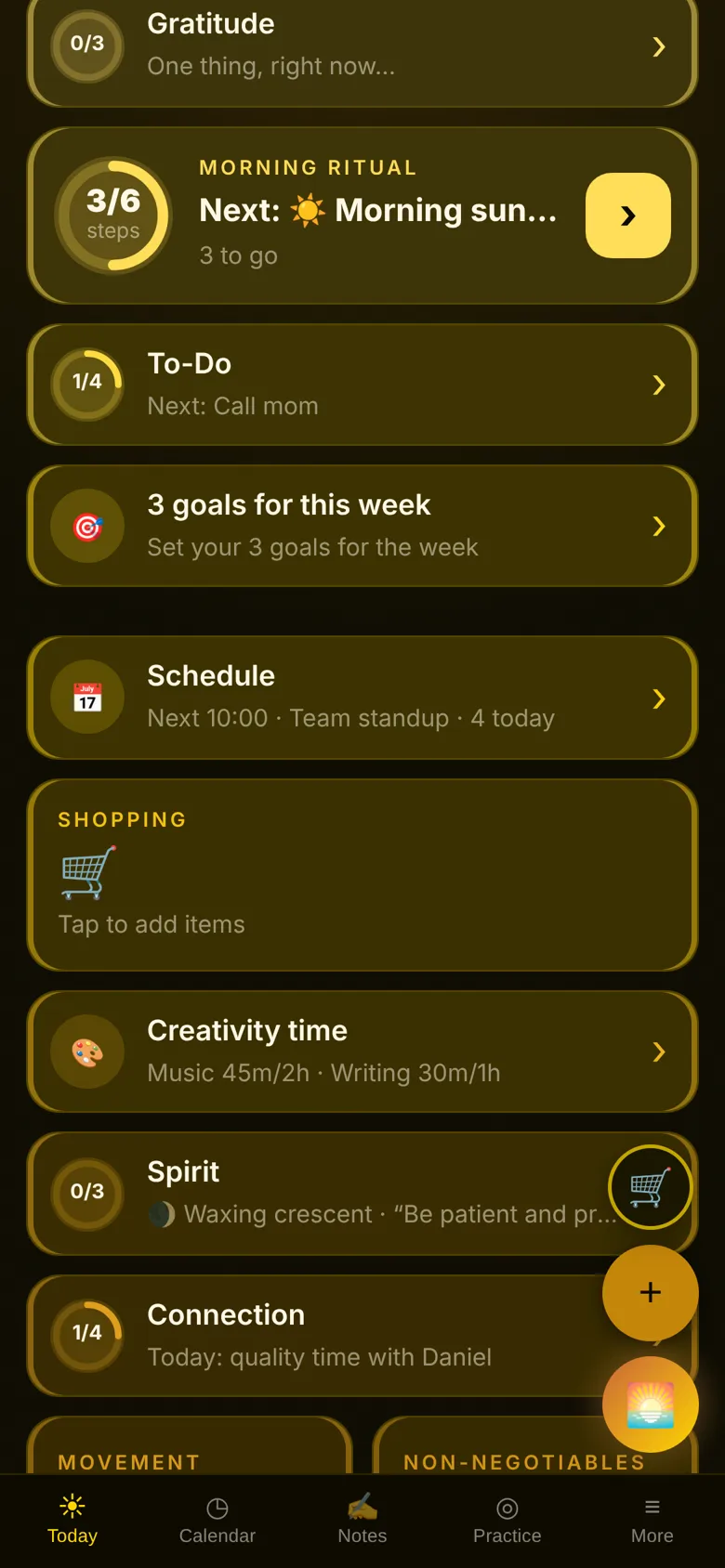
    Five themes, each with its own colours from morning to night.

    Dusk theme
    Dusk
    Desert theme
    Desert
    Gold theme
    Gold
    Valley theme
    Valley
    Ember theme
    Ember
    680practice videos, each checked by hand
    2languages, English and Latin American Spanish
    1account on your phone, tablet and computer
    14days free, with no card

    Icon buttons are labelled for screen readers, and the screen stays on while the app is open, so a practice or a timer never goes dark on you.

    Your life stays yours

    A journal and a budget are personal. Here's how we treat them.

    🚫We never sell your data or share it for advertising. There are no ads in the app.

    🍪No tracking cookies, no pixels, no third-party ad tags.

    🤖Your entries never train AI models. The coach is always labelled as an AI.

    🔐Encrypted in transit and at rest.

    💞You choose what Together shares. Your partner sees only the parts you switch on, and you can switch them off any time.

    📦Take it with you. Download everything from Settings any time, or delete your account yourself.

    The full details, in plain language: Privacy Policy

    Why Horizon OS exists

    Hi, I'm Ofek.

    I built Horizon OS for myself. I wanted one place to follow my morning routine, stay on top of my day and finally see where my money was going.

    Using it every day changed my life: calmer mornings, clearer goals, fewer things slipping through. So I decided to make it for everyone.

    I build it from Pisac, in Peru's Sacred Valley, and it keeps getting better. New features land every few weeks, many of them asked for by people like you.

    Ofek Hadar, founderWrite to me at support@horizon-os.app

    The whole app, one simple price

    Every feature is in every plan. Try it free for 14 days first.

    Monthly

    $9.99 / month

    Month to month. Cancel any time.

    Start 14 days free
    Best value

    Annual

    $69 / year

    Works out at $5.75 a month.

    Start 14 days free
    • No card to start
    • Cancel any time
    • 14-day refund, no questions asked

    Together is included in both plans 💞 You can both try it during your free trials; after that, each of you needs your own plan.

    Early-bird: the first 100 people to subscribe get $30 off their first year, $39 instead of $69. It renews at $69 a year. The offer closes when the hundredth place is taken.

    Full details on the pricing page and in the refund policy.

    Questions

    Do I need to download anything?

    No. Horizon OS runs in your browser, and you can add it to your home screen so it opens like any other app, on iPhone, Android or computer. See how to install it.

    Is it too much? There are a lot of features.

    It starts light. A new account begins with just the essentials, and you choose what else to switch on when you sign up. In your first week, the app suggests one more thing a day, which you can turn on or skip. You can hide, show and rearrange any part of Today later.

    Can I share it with my partner?

    Yes, with Together. You link your two accounts and each choose what to share: the shopping list, to-dos, money and nudges. Everything else stays private. You can link up and try it during your free trials; after that, each of you needs your own plan, monthly or annual.

    Is there a free plan?

    No. There's a 14-day free trial of everything, and after that it's a paid app. We'd rather charge a fair price than build a worse version to sell you out of.

    What happens when the trial ends?

    Nothing is deleted. If you don't subscribe you lose access to the app, but the export button stays, so you can always download every day, journal entry and note you wrote.

    Does it work in Spanish?

    Yes, all of it, in Latin American Spanish. That includes the AI coach, who can also talk to you out loud in Spanish. Ver en español.

    Can I cancel?

    Any time. You keep access until the end of the period you already paid for, and you're not charged again.

    Is this Meta's Horizon OS?

    No. Horizon OS (horizon-os.app) is an independent daily life planner made by Ofek Hadar. It's not related to Meta's operating system for Quest headsets.

    Start tomorrow morning differently

    Set up your first ritual in two minutes. Your first 14 days are free.

    No card needed. Cancel any time.